Ask about your money.In plain English.
Connect BankPilot to your AI assistant and just ask. Which payments are missing, or where a charge came from. No tables to dig through.
 powered by
- 1SourceBank accountYour accounts connected via open banking
- 2StructureBankPilotTransactions, rules, payment monitor
- 3AccessMCP connectorYou approve it, and you can cut it off
- 4AssistantYour AI assistant“Which rent payments are missing right now?”
- 5AnswerOne payment is missing.Rent flat 2 · expected 890.00 € · due on the 3rd
Privacy & control
You decide what your assistant may see.
Every setting here is yours to change.
Optional
Nothing is connected until you set it up and approve it yourself.
Reading only
Your assistant can look things up and nothing else.
No payments
It cannot move money or change anything in your bank account.
Revocable at any time
Every connection is listed in your settings, and you can cut any of them off.
You choose the accounts and the period
Your settings cover each bank account on its own. You choose whether your assistant sees that account at all, and how far back it may look, the last six months or one particular month. You can also name words that keep a payment out, so anything with that payee or reference stays hidden.
Your bank login stays with your bank
BankPilot never sees your bank login. You type it at your bank, and no AI assistant ever sees it either.
What we store
BankPilot does not keep a second copy of your finances for this. We look up only the part of your data that the question is about. What we do store is the connection itself, until you cut it off. Whatever your AI provider does with the conversation is covered by their own privacy terms. Política de privacidad
Explained simply
What is MCP?
MCP stands for Model Context Protocol. It is an open standard for letting an AI assistant read data from somewhere else, under rules you set. BankPilot connects to your bank the same way, through open banking.
With BankPilot MCP
Your assistant has no access to your bank account. It reads its answer from BankPilot, and only from what you have chosen to share.
BankPilot uses the open MCP standard. We set the connection up and tested it with ChatGPT. Any assistant that can add a remote MCP server should work, including Claude as a custom connector.
What your assistant can look up
get_monitoring_statusPayment monitor: rules with expected and actual paymentslist_transactionsTransactions, filterable by period, category, amount and rulelist_rulesThe rules you set upget_accountsAn overview of your connected accounts
All four only read. We left out anything that could change your data.
https://bankpilot.eu/mcpSign-in and consent
We use OAuth 2.1 with PKCE for signing in. Your assistant gets a token that expires. It never gets your password. You see each connection on its own in your settings, and you can cut it off there.
In three steps
How the connection works
You do not need any technical knowledge.
Connect your assistant
You add BankPilot as a connector inside your assistant. Every provider's screen looks a little different, so the picture below is a mock-up.
https://bankpilot.eu/mcpApprove the connection
You sign in to BankPilot once and approve the connection. Until you do, your assistant has no access at all.
An AI assistant wants to access your BankPilot data.
- Read transactions and categories
- Read rules and the payment monitor
- No transfers, no changes
Just ask
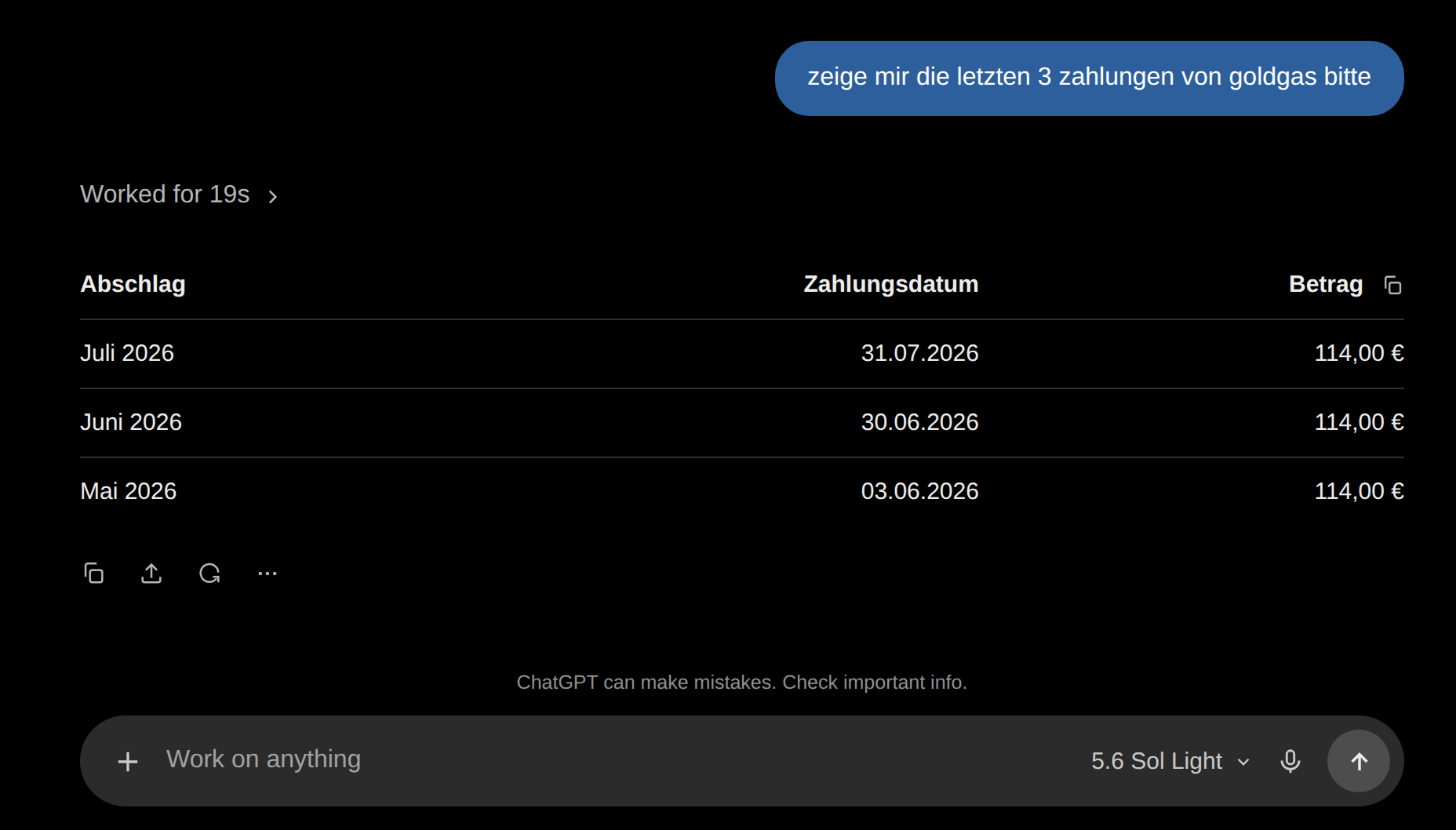
After that you just ask in the chat, and your assistant reads the answer from BankPilot.
Which payments are missing right now?
One expected payment is currently missing in the payment monitor: Miete Wohnung 2 · 890,00 €
Sample dialogue
You ask, and we answer from your BankPilot data.
Pick a question. We made the answers up from sample data.
Which payments are missing right now?
One expected payment is currently missing in the payment monitor:
Rent for flat 1 has arrived, and so have the utilities and Netflix.
Which payments could BankPilot not match to a rule?
I found four unmatched entries:
Shall I sort them by amount or by date?
Which rules do I have?
This sample account has four active rules:
Three of them arrived on schedule this month.
Were there any unusual movements?
Two entries deviate from the usual pattern:
Both are higher than comparable entries over the past three months and match no rule.
Which recurring payments do you see?
Recurring on a regular schedule:
The payments to Edeka repeat but follow no fixed amount.
How did my spending develop?
Based on the sample data for the past three months:
The rise in August comes mostly from two one-off payments.
Frequently asked questions
What is MCP?
MCP stands for Model Context Protocol, an open standard for letting an AI assistant read data from somewhere else. For BankPilot it means your assistant can look at your BankPilot information once you set it up. It has no access to your bank account.
Do I need technical knowledge?
No. You add BankPilot as a connector in your assistant, sign in once and approve it.
Can the AI transfer money?
No. Your assistant can only read. Nothing in the connection can start a payment.
Can the AI change my bank account?
No. It cannot change anything, not in your bank account and not in BankPilot.
Do I have to enable this?
No. It is optional. Leave it alone and BankPilot works exactly as it did before.
Does it cost extra?
No. Access for AI assistants is included in your BankPilot plan.
What data can my assistant see?
The information BankPilot already keeps for you: transactions, categories, your rules, the payment monitor and an overview of connected accounts. Each question gets only the part it needs.
Is my data used to train AI models?
BankPilot keeps no separate copy of your data for this and does not use your questions for training. What your AI provider does with the conversation follows their own privacy terms, so check those with the provider you use.
How do I disconnect again?
Your BankPilot settings list every connected application on its own, and you can disconnect them there. The assistant loses access straight away.
Ask your assistant about your money.
Connect your AI assistant and ask about your money in plain English. It can only read, and you can cut it off whenever you want.